Case Study · VS Code Extension
Supermodel
A VS Code extension that transforms any codebase into an interactive graph. Every module, dependency, and relationship becomes a navigable node, giving development teams the structural clarity that documentation never delivers.
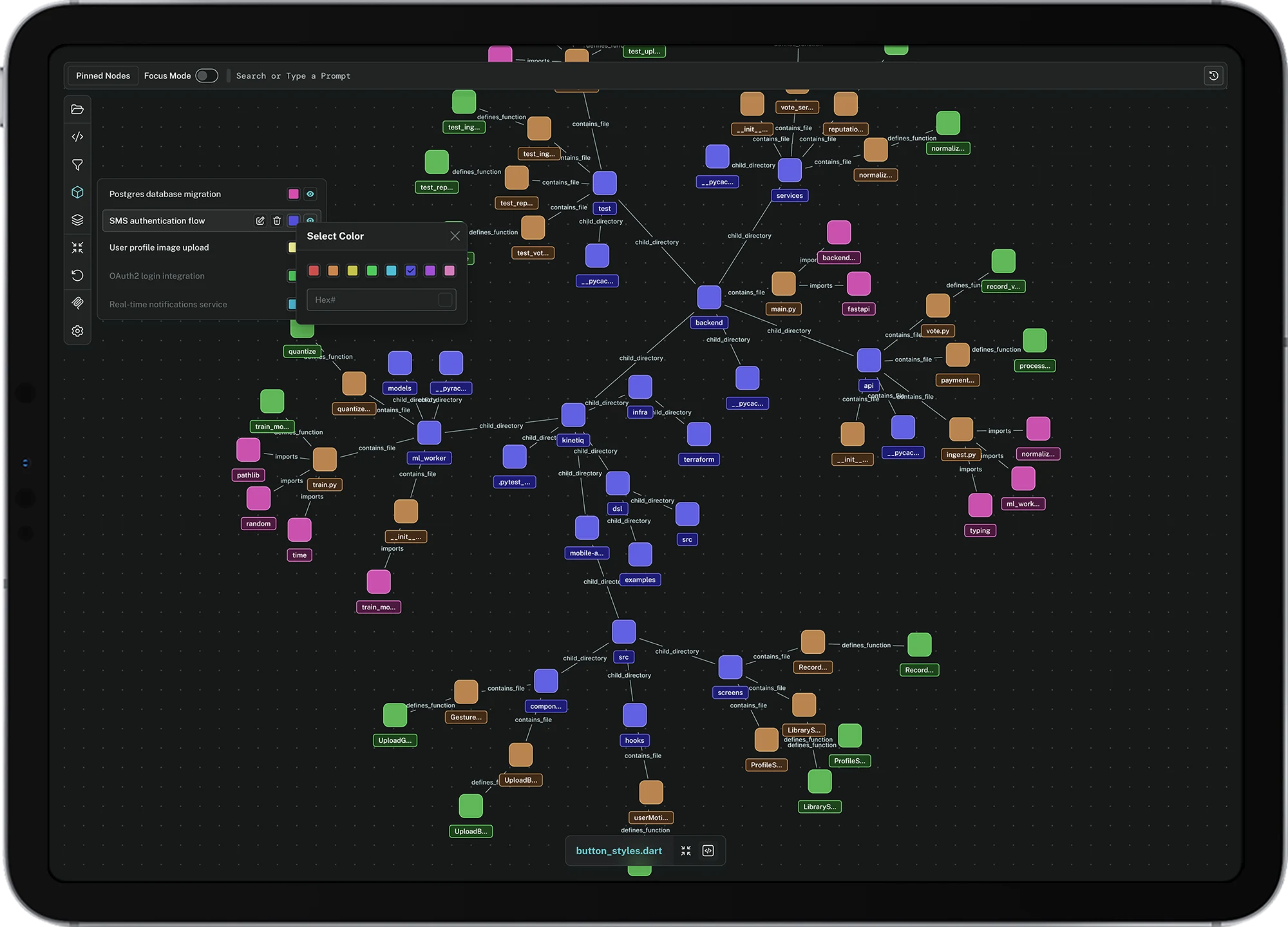
Make structure visible, navigable, and actionable.
Modern codebases routinely exceed 100,000 files. The tools developers use to navigate them, file trees, grep, find-in-project, were designed for projects ten times smaller. Supermodel treats the codebase as a living system, not a list of files, giving teams the architectural clarity to build, review, and maintain with confidence.
Turning the Codebase Into a Map
Supermodel was designed for development teams who have outgrown their ability to hold the architecture in their head. When a project scales beyond a few thousand files, mental models break down. Supermodel makes the invisible visible, every module, every dependency, every relationship, rendered as a live, navigable graph inside the editor where the code already lives.

Where Mental Models Collapse
We shadowed 11 senior developers and 5 tech leads across codebases ranging from 50K to 2M lines of code. The universal pattern: the bigger the repo, the more time spent on orientation before writing a single line. Onboarding a new engineer averaged three weeks. Code reviews lacked confidence because reviewers could not see the full blast radius of a change.
What the Market Gets Wrong
Existing tools either live outside the editor, lack AI analysis, or offer read-only static views. None combine an interactive live graph with VS Code-native integration, AI-powered insights, and a change-impact planning layer.
| Platform | Interactive Graph | AI Analysis | VS Code Native | Change Planning | Team Collab |
|---|---|---|---|---|---|
| GitLens | No | Partial | Yes | No | Yes |
| Code Map | Partial | No | Yes | No | No |
| Draw.io | Partial | No | No | No | Yes |
| Understand | Yes | No | No | No | Partial |
| Supermodel | Yes | Yes | Yes | Yes | Partial |
Who Lives Inside Large Codebases
Four segments with distinct relationships to code structure. Senior developers need orientation speed. Tech leads need governance visibility. Junior devs need guided exploration. Security engineers need structural vulnerability scanning.
25-40. Onboarding into unfamiliar repos or maintaining large monorepos. Need structural clarity fast, without asking teammates.
30-48. Architecture governance and code review. Need to see impact before merging, not after a production incident.
22-28. Learning how complex systems fit together without reading every file or asking questions that feel obvious to everyone else.
Dependency auditing, vulnerability scanning, and circular import detection at the architecture level, not the file level.
The People the System Must Serve
Three archetypes from 16 user interviews across software teams in SaaS, fintech, and enterprise engineering. Each represents a distinct failure mode of existing navigation tools.
The Codebase Archaeology Workflow Before Supermodel
What a developer actually does when they need to understand how a part of a large codebase works, before a tool like Supermodel exists. Steps 2 through 5 are exactly what Supermodel was designed to eliminate.
- Step 01Open the project: 3,400 files, no mapDeveloper clones the repo. The file tree shows a folder structure, not a system. The entry point, the data flow, and the module boundaries are invisible.Curious
- Step 02Search for entry points: guessing architectureDeveloper searches for "index", "main", "app", "router". Opens 8 files in parallel. Tries to deduce structure from file names and import statements.Disoriented
- Step 03Trace a function: losing context with every jumpFollowing a call chain across files with Ctrl+Click. Ten files deep. The breadcrumb trail lives in browser history, not in the editor. One wrong click and the trail is gone.Scattered
- Step 04Map dependencies: grep and whiteboardDeveloper runs grep to find all callers of a function. Copies results to a note. Draws a dependency diagram on paper or a whiteboard that will be obsolete in two weeks.Frustrated
- Step 05PR review: approving without full visibilityTech lead reviews the diff but cannot see the full blast radius without repeating steps 2-4. Approves with a comment: "Looks fine, but double-check the callers." Nobody does.Anxious
- Step 06Supermodel: One graph, every relationship, instantSupermodel renders the full dependency graph of any module in real time. Click any node to see every caller, every dependency, every layer, and plan a change before writing a line of code.In control
What the System Must Deliver
Six stories from persona research and journey mapping that defined the feature scope for Supermodel. Each story names a specific developer, a specific context, and a specific outcome the system must enable.
- US-01 As a new developer, I want to see the full dependency graph of any file before touching it, so I know what I might break before I break it.
- US-02 As a tech lead, I want automatic antipattern detection so I catch god objects, circular imports, and excessive coupling before they compound into technical debt.
- US-03 As any developer, I want to query the codebase in natural language, so I can find relationships without knowing every file name or grep syntax.
- US-04 As a tech lead, I want to preview the blast radius of any planned change, so code reviews are based on structural evidence, not gut feeling and hope.
- US-05 As any developer, I want to pin frequently visited nodes for quick access, so I can navigate between critical modules without re-searching on every session.
- US-06 As a security engineer, I want graph-level vulnerability scanning that flags SQL injection and XSS risks at the architecture level, before they reach production.
Forest Green, Built for Focus
The dark carbon UI reduces eye fatigue during long development sessions. Forest green as the primary accent bridges the gap between the natural world and raw data, grounding a tool that makes invisible structure visible. Public Sans carries precision at every scale, from 10px graph labels to 40px panel headings.
A Graph for Every Scale
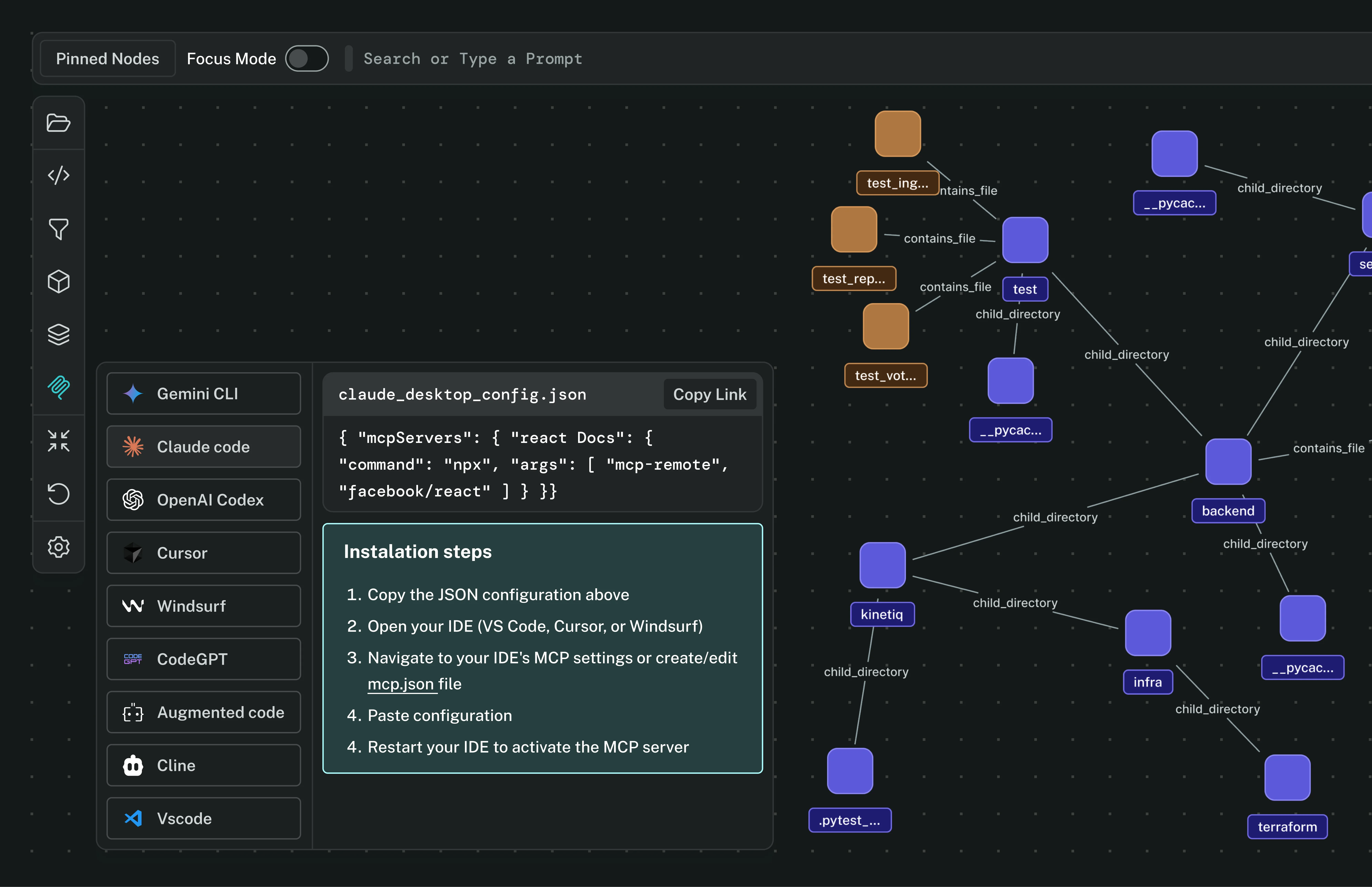
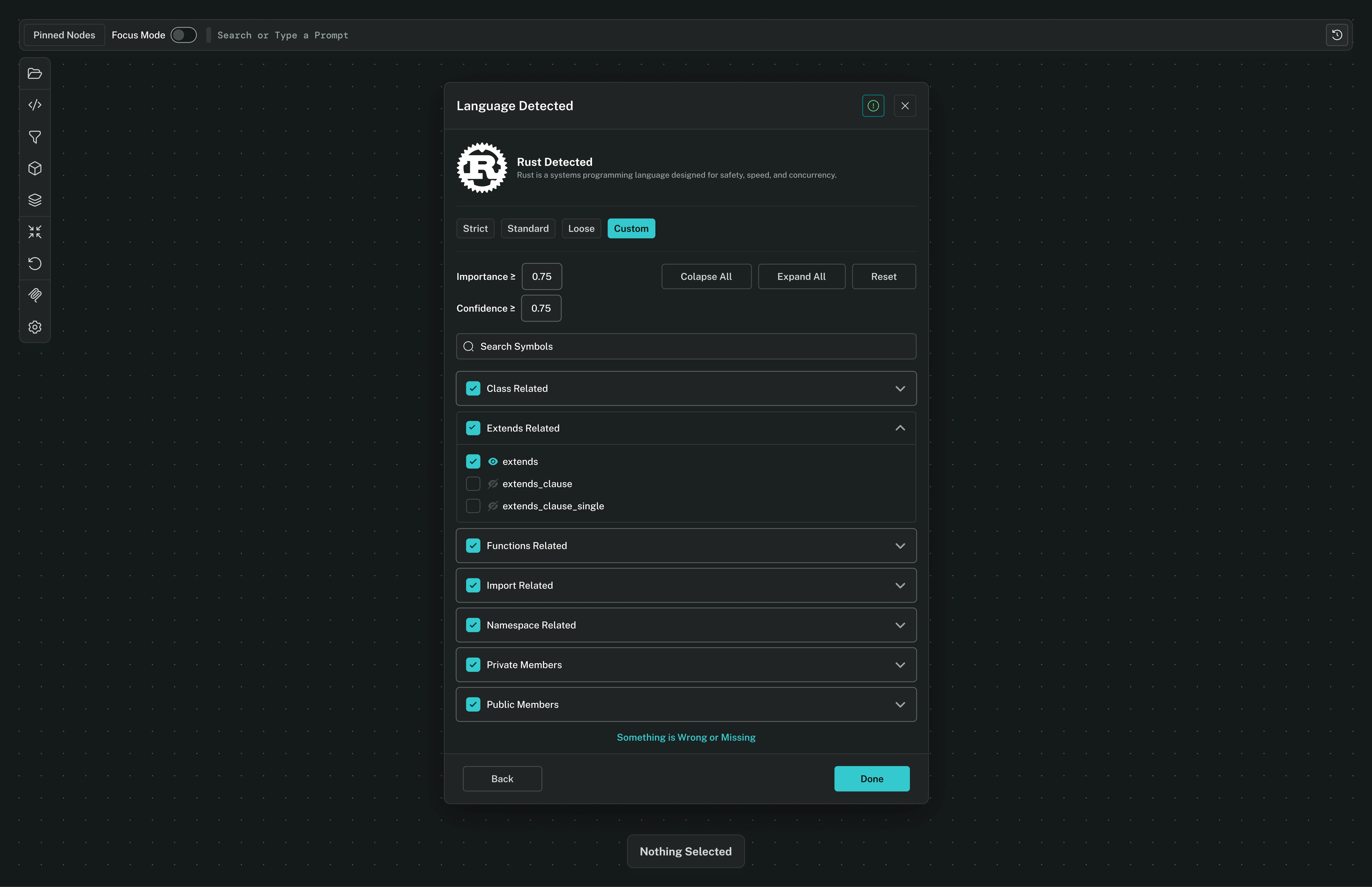
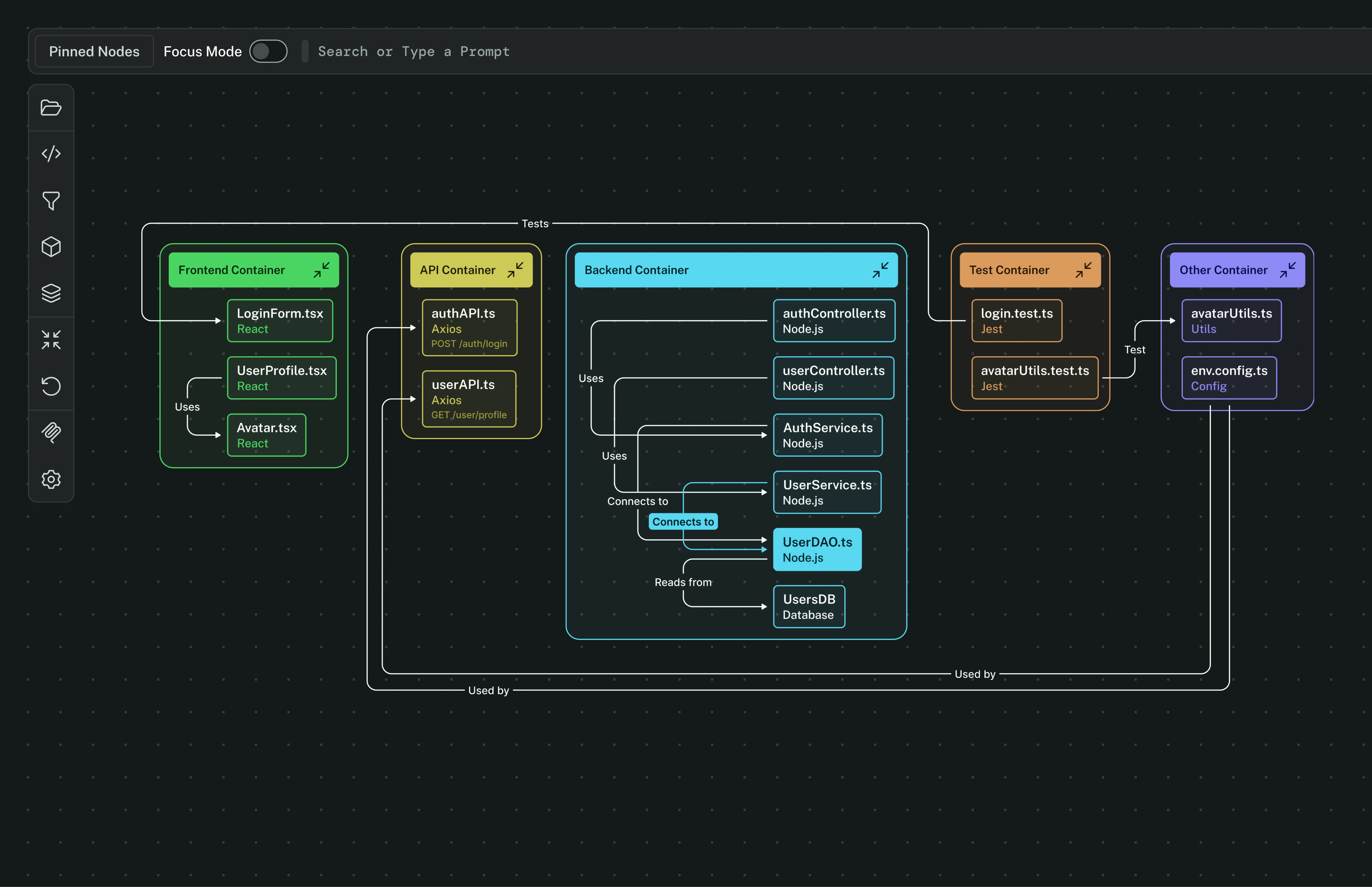
The final system puts the full codebase graph one keystroke away, surfaces AI-powered antipattern detection automatically, and gives every developer a "Plan a Change" view that shows the real impact of a modification before writing a single line. The blast radius of any decision is never invisible again.


Your product,
built right.
Supermodel showed that 20 years of code navigation conventions still have room for design that treats the codebase as a system, not a list of files. If you're building a developer tool where clarity and spatial reasoning are the product, let's talk.